
One of the best ways to demonstrate your company’s credibility is to showcase the brands you’ve partnered with or clients you’ve served. However, displaying a group of five or more logos may clutter your homepage, undermining its UX.
The solution?
Displaying the brand icons using a logo slider to keep your homepage organized and ensure mobile responsiveness. But this requires finding a logo slider plugin that’s compatible with your site, especially if you’re using WordPress.
In this guide, we will highlight 7 of the best logo slider plugins for WordPress, including their key features and best practices to keep in mind.
TL;DR – Best Logo Slider Plugin for WordPress
Pressed for time? Here are the top-rated logo slider plugins for WordPress:
- Webynize
- WP Logo Showcase Responsive Slider
- Prime Slider
- Smart Logo Showcase Lite
- MetaSlider
- GS Logo Slider
- Logo Carousel
Continue reading for an in-depth review of each logo slider plugin, so that you can pick the best option for your WordPress site.
What is a Logo Slider in WordPress?
A WordPress logo slider, also known as a logo showcase widget, is a plugin that provides a template for displaying multiple logos, usually as a rotating carousel, grid, or scrolling gallery.
The plugin lets you display logos in a clean, organized, and dynamic way that complements your WordPress theme.
How Does a Logo Slider Work?
You only need to install the plugin and upload the logos you want to showcase. Once you activate the slider, it automatically displays all your logos in the order and layout you specify, providing an interactive visual element that website visitors can engage with.
Key aspects of how logo sliders work include:
- Functionality: You can configure the sliders to scroll automatically or manually.
- Customization: You can add hover effects or determine the number of logos displayed per slide.
- Integration: WordPress logo slider plugins are compatible with WordPress, but some accept other builders, such as Squarespace and Wix.
Best Practices for WordPress Logo Sliders
An effective logo slider helps grab visitors’ attention quickly and entice them to interact with the content. It is also an opportunity to establish social proof for your brand, encouraging visitors to trust your services.
Here are the most important things to keep in mind:
- Legal Compliance: Ask your partners, clients, and brands for permission before displaying their logos on your site to avoid IP liability.
- Placement: Position the slider where your visitors are likely to see it, such as after highlighting your product’s core features to reassure potential leads and nudge them to make their purchase decision while still on your website. Alternatively, you could place it in your header or footer so it appears on every web page.
- Logo Consistency: The brand logos should be the same size and have the same format or stylistic effects for a more professional look.
- Website Performance: Use a logo slider with lightweight code to reduce the impact on loading speed and user experience.
- Motion Configurations: Activate the auto-play feature for continuous movement, but optimize the speed to avoid logos moving too fast. Additionally, add hover effects so the logos stop when your client hovers on one.
Why Do Successful Brands Use a Logo Carousel to Build Trust?
As a business owner, showcasing your partners’ logos creates a strong first impression on website visitors, laying the foundation for engagement and potential conversion.
Other reasons to showcase a logo carousel on your website include:
- To Showcase Credibility: A logo carousel serves a similar purpose to a social proof widget. It shows visitors that you’re working with high-profile brands and partners, encouraging them to trust your business or offerings.
- To Achieve a Professional Look: A logo carousel helps organize your website’s icons neatly, demonstrating professionalism and enhancing your brand’s credibility.
- Improve Website Appeal: Displaying a logo carousel can help revamp your website’s visual appeal and grab visitors’ attention quickly.
- Helps with Engagement and Retention: The subtle movements of the logos on your page are eye-catching, encouraging visitors to wait and see the companies your partner with, increasing your site’s dwell time.

Must-Have Features in a WordPress Logo Carousel Plugin
The best-rated plugins have the following overlapping features:
- User-Friendliness: The plugin should be easy to use, allowing you to quickly design sliders and insert them on your page, even if you don’t have advanced web design skills.
- Device Responsiveness: A good WordPress logo carousel plugin should automatically adjust your logo sizes to your visitors’ screen sizes for consistent UX.
- Flexible Plugin Placement: A good plugin should let you edit, manage, and place the logo carousel anywhere on your page without any restrictions.
- Interaction Tools: Choose a slider plugin with features, like clickable links that visitors can follow for case studies or client success stories on your website. Additionally, you could add a tooltips widget that provides contextual information about the brand partnership when visitors hover over an icon.
- Optimized for Performance: The best plugins use lightweight code to improve load times. Additionally, they are configured for “lazy loading,” so that they only execute when visitors scroll to that section on your site.
7 Best Logo Slider WordPress Plugins You Can Use
There are at least a few dozen logo slider plugins for WordPress on the internet; however, not all options will match your website’s needs.
We have compiled a list of the top-rated logo slider plugins to consider for your WordPress site:
1. Webynize
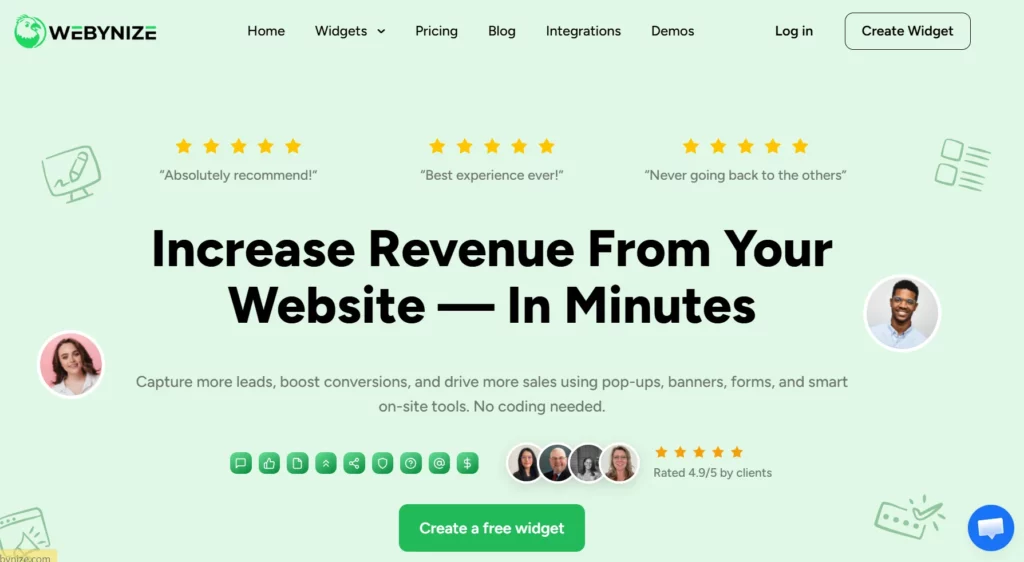
Webynize offers a no-code solution for adding a logo showcase widget on WordPress to showcase your partners, clients, and brands. The plugin doesn’t require technical skills to set up and style, making it beginner-friendly.
Other standout features include:
- Flexible Customization: Webynize lets you adjust the plugin’s background color and font settings to match your WordPress theme.
- Mobile-Responsive Design: The widget automatically resizes your logos and other navigation tools, like arrows, to match visitors’ screen sizes.
- Website Builder Versatility: The logo slider plugin is compatible with other web builders besides WordPress, meaning you can use the same widget on multiple websites.
- Dynamic Visual Effects: The widget lets you add hover effects and fade transitions to ensure every slide feels intentional and unique.
Create a Logo Showcase widget today and display a curated logo carousel to build social proof for your WordPress site.
2. WP Logo Showcase Responsive Slider and Carousel
The WP Logo Showcase Responsive Slider and Carousel plugin lets you showcase logos with brief descriptions on a WordPress site.
It is compatible with several WordPress builders, including Gutenberg, Elementor, and Beaver Builder.
Features:
- Multiple design templates and layouts
- Uses a mobile-first design
- Supports major themes, such as Avada and DIVI
3. Prime Slider
Prime Slider lets you create fully customizable sliders to showcase logos, blog highlights, and other client portfolios.
However, compatibility is limited to Elementor, which may limit how you use it with other WordPress builders.
Features:
- Lightweight plugin for fast performance
- Mobile-optimized sliders for all screens
- Supports layout adjustments for better UX
4. Smart Logo Showcase Lite
The Smart Logo Showcase Lite plugin lets you place your logo carousel horizontally or vertically, depending on your stylistic preferences.
Additionally, users can configure the slider’s animations, including autoplay and scroll speed.
Features:
- Numerous design templates to choose from
- Mobile-responsive design for mobile phone users
- Interactive tools, like hover effects
5. MetaSlider
MetaSlider offers a drag-and-drop plugin for creating image carousels ideal for logo showcases.
Additionally, you can insert links on the logos to client pages or client stories.
Features:
- Built for all screen sizes, including desktop and mobile
- User-friendly interface for creating slideshows with ease
- Supports the Gutenberg WordPress block editor
6. GS Logo Slider
GS Logo Slider provides a plugin for showcasing brand icons as a carousel on your WordPress site.
The plugin also includes comprehensive developer documentation for those who want to customize the logo slider beyond the basic layout options it offers.
Features:
- Supports all WordPress themes
- User-friendly logo setup and customization
- Optimized for fast loading speeds
7. Logo Carousel
Logo Carousel is a no-code plugin that you can use to display your clients’, partners’, and brands’ logos as a swippable slide on WordPress
The plugin uses very basic, lightweight code, ensuring minimal impact on your website’s loading speed.
Features:
- Mobile-responsive design
- No-code templates
- Seamless compatibility with the Gutenberg WordPress block editor
Common Mistakes to Avoid With a Logo Slider Plugin for WordPress
Logo slider plugins are effective tools for building trust, but poor implementation can frustrate your website visitors.
Here are common pitfalls to avoid when setting up your logo slider for WordPress:
- Using Low-Quality Logos: If you use blurry or sketched logos and assume the plugin will automatically enhance their resolution, it can make the site feel unprofessional. Use high-resolution logos with equal dimensions and consistent formatting to maintain a clean, uniform appearance.
- Ignoring Mobile Responsiveness: Avoid using a logo slider plugin that isn’t mobile-friendly, as it locks out mobile users. Besides making it difficult for them to see logos on their small screens, such plugins also make it hard for mobile users to navigate the slides because the navigation arrows are too small.
- Setting a High Slider Speed: Failing to adjust the plugin’s auto-scroll speed denies your visitors sufficient time to see and interact with the logos. As such, moderate the slider speed and add hover effects to pause the logos for a better user experience.
- Not Confirming the Plugin’s Compatibility: Picking an incompatible plugin often results in a defective carousel that appears blank or displays an error code. To avoid this, ensure the plugin you use integrates with WordPress and its builders, such as Gutenberg, Elementor, and Beaver Builder.

Frequently Asked Questions (FAQs):
Below are commonly asked questions about WordPress logo slider plugins:
How Many Logos Should You Add to a Logo Slider?
There is no limit to the number of logos you can add to the slider.
However, we recommend limiting the number to about 10 per slider to provide adequate social proof without overwhelming your visitors.
Does a Logo Slider Plugin for WordPress Affect Site Speed?
Yes. A WordPress logo slider plugin can affect site speed because of the images, JavaScript, and extra CSS files.
That’s why you should choose a lightweight, well-optimized plugin to ensure fast load times.
Can You Add Multiple Logo Sliders On the Same Page?
Yes. You can add multiple logo sliders to the same page, but ensure each displays different logos to enhance visitor engagement.
Additionally, ensure your plugin is configured for “lazy loading” and executes only when visitors scroll to that carousel.
Conclusion
Your logo slider plugin isn’t just about showcasing your partners’ logos; it should also grab visitors’ attention quickly and encourage engagement. That’s why the plugin should support flexible customization, including custom CSS, so you can style it to your preferences.
Developed by the team behind SociableKIT, Webynize leverages 10+ years of web dev experience to build a lightweight logo slider plugin that is optimized for WordPress sites. Our plugin offers easy widget implementation, with a built-in embed code generator that generates the script to paste into WordPress.
Create a Logo Showcase plugin today and display invaluable social proof on your WordPress site.
Leave a Reply