
Display your schedule, office hours, events, or availability directly on your website with a customizable calendar widget.
No coding. No complicated setup process, no developer required. Plus, you can embed and publish your live calendar in under two minutes.
Say What Matters. On Every Page. At No Cost.
Display a scrollable or stacked list of upcoming events with key details and action buttons. Ideal for promoting time-bound events on business websites, without requiring a full calendar UI. Build it in a visual editor, embed it with one line of code — on any website, for free.

Why Most Calendars on Websites Fail Visitors?
You are among many website owners who have tried to add a calendar to their websites and ended up with frustrating results.
Most website calendars fail for the same reasons:
- Embeds that Look Outdated: You added a Google Calendar widget to your website, hoping for a quick solution, only to end up with a clunky widget that looks disconnected from your branding.
- Unreliable Plugins: You installed a plugin or third-party widget, thinking it would provide easy navigation, but it slows down your pages and hurts mobile responsiveness.
- Costly Custom Development: You contacted a developer to build custom calendar features, but the quote was too high with no justifiable ROI.
- Visitors Ignoring the Calendar: Your visitors do not use the calendar and still call your front office or email to make appointments.
Our free calendar widget is beginner-friendly and takes a few minutes to set up and personalize to match your website’s theme.
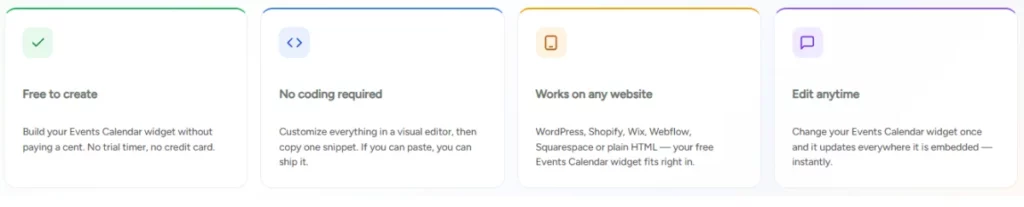
What You Get For Free
Everything you need to launch a Events Calendar widget on your website — at no cost.
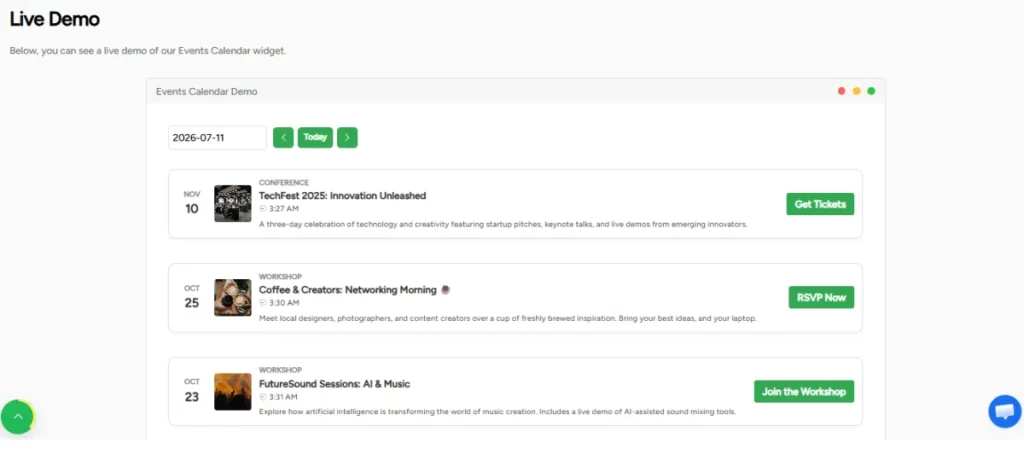
See the Free Events Calendar Widget in Action
This is the real widget — try it here, then create your own for free.
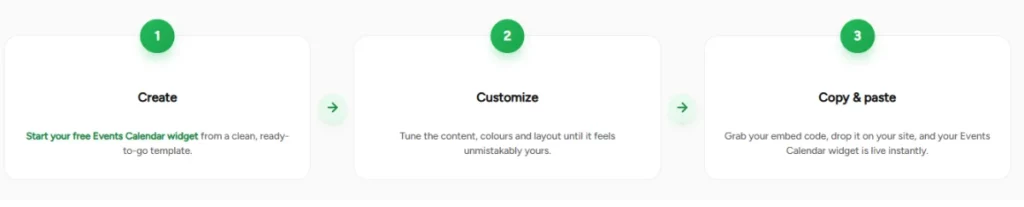
From Idea to Live in Three Steps.
Three steps, a few minutes, zero cost — here’s the whole journey.
Who Uses a Calendar Widget on Their Website?
A website calendar is useful for anyone who needs to see dates, schedules, events, availability, or recurring updates in one place.
Event Organizer
Use an events calendar widget to show upcoming shows, performances, workshops, conferences, or classes in a neatly organized monthly view that visitors can quickly scan.
Coaches, Consultants, and Service Providers
Pair your calendar with a booking widget so visitors can quickly check your availability and make appointments directly on your website.
Churches, Community Groups, and Nonprofits
Use a calendar widget to display church services, volunteer activities, meetings, and community events on a website, keeping members updated.
Course Creators and Educators
Share class schedules, assignment deadlines, cohort milestones, and workshop dates in a format that your students can bookmark and reference throughout the course.
SaaS and Product Teams
Promote webinars, onboarding sessions, launch dates, live demos, and office hours on your marketing pages without a developer on retainer.
Retailers and Restaurants
Pair your calendar with an announcement widget to highlight seasonal promotions, happy hours, special events, and holiday schedules, creating FOMO among shoppers and website visitors.
Works With Every Major Website Builder
Webynize widgets work on all major web builders, including custom-built sites.
| Platform | Integration |
| WordPress | Open a Custom HTML block on your web page and paste the embed code |
| Webflow | Drag an Embed element to the web page and paste the script you copied from Webynize |
| Shopify | Use the <> Show HTML icon to open a code block on the Shopify page and paste the embed code |
| Wix | Click Add Element, select Embed a Site, and paste the embed code |
| Squarespace | Click Edit to create a code block on the web page and paste the embed code |
| Google Sites | Open the Insert panel, select the Embed option, and paste the script |
| HubSpot | Open a rich text or custom module and paste the embed code from Webynize |
| Custom HTML or React sites | Open the web page where you want to add the calendar and paste the embed script in the header, body, or footer sections |
See the full list of supported integrations for easy-to-follow step-by-step guides.
Why Site Owners Choose Webynize
Webynize offers lightweight widgets built for speed, efficiency, and to maximize visitor engagement.
- Created by seasoned developers with 10+ years of experience in SaaS and web development
- Our widgets are easy to create and customize with simple embed codes
- We use a mobile-first approach, so our widgets are responsive to different screen sizes
- Our widgets integrate with all major web builders, such as Wix, WordPress, Squarespace, and Shopify
- We offer additional widgets to help users add new features and functionality to their websites
Use our easy-to-implement widgets to give your website an intuitive, engaging experience.
Proof This Works
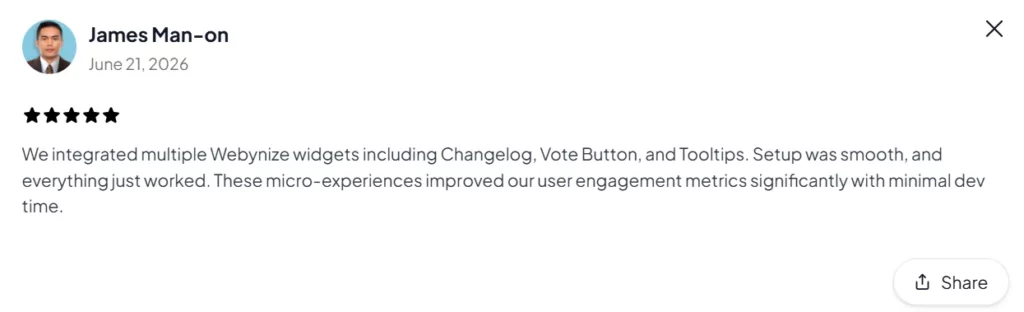
1000+ website owners, small businesses, SaaS companies, educators, and marketers use Webynize widgets to add calendars to their websites.
But don’t take our word for it, see what clients say about Webynize:



Create Your Free Calendar Widget
Free vs. Pro
Start free and stay free. Upgrade only if you want more — it’s always optional.
| Free | Pro (Optional) |
| $0 — no credit card | Everything in Free, plus |
| Create a Events Calendar widget | Remove Webynize branding |
| Customize the design and content | Advanced customization options |
| Embed on any website | Unlimited views and widgets |
| Embed on any website | Unlimited views and widgets |
Questions, answered.
Everything you might want to know about the free Events Calendar widget.
Will the Widget Slow Down My Website?
No. Webynize designs lightweight, mobile-friendly widgets that load fast without hurting your website’s performance.
Additionally, we configure our widgets for “lazy loading,” so they execute after your website displays the main content.
Can I Customize the Widget to Match My Brand?
Absolutely. You can fully customize Webynize widgets to blend naturally into your website’s design.
This includes selecting the widget’s background and button colors, layouts, fonts, spacing, and display styles.
What is the Difference Between a Calendar Widget and a Booking Widget?
The main difference between a calendar widget and a booking widget is that the former allows you to display schedules, dates, and events in an organized layout.
On the other hand, a booking widget allows visitors to reserve services directly on your website.
Get Your Free Events Calendar Widget
It takes a couple of minutes, costs nothing, and works on any website. No credit card, no coding.
Leave a Reply