
Imagine paying $129 per month for a Jotform Gold plan, but still being limited to one user per account, meaning you cannot collaborate with your design team on ongoing projects?
That is the challenge many website owners and developers grapple with when using Jotform, explaining why many users switch to its alternatives.
As a small business owner, marketer, e-commerce owner, or educator, it makes sense to switch to alternatives that allow unlimited form submissions to meet your growing website needs.
In this guide, we cover the best Jotform alternatives, including free, paid, HIPAA-compliant, and open-source options.
TL;DR – Jotform Alternatives Worth Your Time
Can’t read the whole article right now? Here is a quick summary of what we discussed in this guide:
Factors to consider when picking a Jotform alternative:
- Free plans
- HIPAA compliance
- Simple embedding option
- Custom form building features
Best Jotform alternatives by use case:
- Best Overall: Webynize
- Best Free: Google Form
- Best HIPAA-Compliant: Cognito Forms
- Best Open Source: Tripetto Forms
Keep reading for an in-depth review of the best alternatives to pick the best option for your website.

What to Look for in a Jotform Alternative
Jotform is one of the most popular online form builders, but users quickly outgrow it and switch to its alternatives. Among the most common reasons website owners and developers start looking for Jotform alternatives are pricing concerns, submission limits, and user experience preferences.
The next challenge is usually finding a Jotform alternative that meets their website’s needs.
Below is a simple checklist to help you pick the best fit Jotform alternative:
- Free Plan: Check that the Jotform alternative you choose offers a free plan so you can get hands-on experience with the tool before committing to a monthly subscription.
- HIPAA Compliance: Health providers and clinics should prioritize Jotform alternatives that offer advanced encryption to safely handle and transmit patient health information.
- Embedding Option: Go for alternatives that offer widgets for easy setup and customization, even without requiring advanced technical expertise.
- Payment Collection: E-commerce website owners should consider alternatives where they can integrate order forms, registrations, and bookings into their payment platforms.
- Conditional Logic: Check that the Jotform alternative you pick allows you to create multi-step or branching form flows based on respondents’ answers or actions on your website.
- Additional Integrations: Developers and SaaS start-ups may consider Jotform alternatives that provide open source or self-hosting options for complex integrations into their CMS and internal information management systems.
Top 10 Jotform Alternatives for Every Team and Budget
Now that you know what to look for in a Jotform alternative, you might be wondering which options to consider.
In this section, we’ll cover the best Fotform alternatives for different team needs and budget limits.
1. Webynize
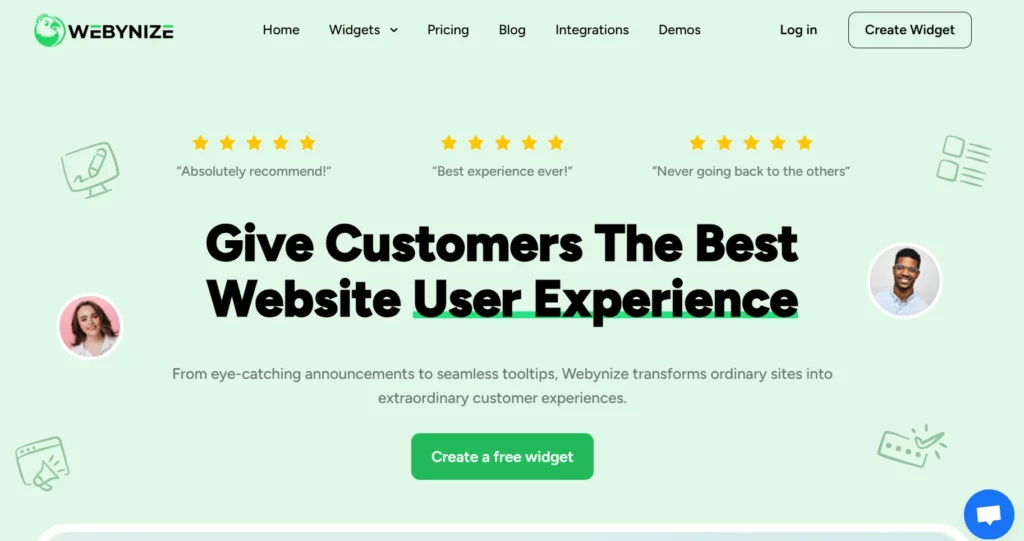
Webynize is the best Jotform alternative for creating and customizing online forms for your website. Its core features include:
- No-code widgets with simple embed codes for easy implementation, even for users without advanced web development skills.
- Webynize form builder widgets are compatible with all major platforms, including Webflow, WordPress, Squarespace, and Wix.
- Unlimited embedding, meaning you can use the same plugin across multiple websites.
- Mobile-first design for seamless UX across devices.
The available form builder widgets include:
- Email Sign-up Form: You can add a free email sign-up form widget to your website to encourage visitors to join your email list, where you can nurture them into clients.
- Exit-intent Popup: Use an exit intent popup widget to re-engage visitors who are considering leaving your website and create opportunities to return them to your conversion funnel.
- Cancellation Form: Add a cancellation form widget to your website to understand why visitors are dropping off and gather insights into how to refine the site’s user journey.
Pricing:
- Free Plan: $0
- Pro: $30 per month
- Business: $60 per month
- Enterprise: $500 per month
Sign up for Webynize and build your first online form code-free.
2. Typeform
Typeform allows users to build forms using AI prompts to speed up the setup process. This includes the option to create one-question-at-a-time forms to increase completion rates.
Other features include:
- Trigger-based user segmentation and follow-up emails
- Integration with third-party tools, such as Calendly and Slack
- Pre-built templates for different use cases and industries
Typeform offers a free plan limited to 10 responses per month; after that, users must upgrade to a premium plan, which can be expensive at scale.
3. Google Forms
Google Forms offers a free Jotform alternative for basic use cases, such as simple surveys and feedback collection. Its biggest advantage is that it readily integrates with other Google apps, such as Google Drive and Google Calendar.
Other features include:
- Diverse question types like multiple-choice, dropdowns, and linear scales
- Real-time collaboration from multiple users
- Google Sheets integration for advanced data analysis
Google Forms’ main drawback is its limited customization options, especially for users who want advanced conditional logic to group visitors into niches.
4. Tally
Tally offers a free tool for creating online forms to collect client contact information and signatures or create checkout forms. Additionally, you can create a custom post-fill-out message to thank recipients for completing the surveys.
Other features include:
- SUpports 45+ languages
- Integrates with Notion, Airtable, and Zapier
- Built-in controls to prevent duplicate submissions
A major concern users have with Tally is that it claims to offer unlimited forms and submissions for life, but most features are locked under a premium subscription, which clients often interpret as misleading pricing.
5. Fillout
Fillout offers a drag-and-drop tool for building and customizing forms without writing any code.
Its standout features include:
- Pre-built templates to speed up the set-up and launch process
- Integrations with spreadsheets and databases like Airtable, Notion, and Google Sheets
- Built-in analytics to track user behavior and gain insights into how to refine the forms
A major concern about Fillout is that it limits the number of responses a website receives in a month, even on paid plans.
6. Tripetto
Tripetto offers a suitable Jotform alternative for developers looking for a form builder that supports self-hosting. One of its tool variations, FormBuilder SDK, provides fully customizable components for complex system integrations.
Other features include:
- Diverse layouts, allowing you to display one question at a time or present the questions together
- Detailed changelog software to help users track all modifications
- Automatic email notifications when a new website visitor fills out a form
While Tripetto offers a self-hosting option, many developers turn down the option because of the high fees, with builder licenses starting at €325 (about $380) per month.
7. Formbricks
Formbricks is another option for users who want a Jotform alternative that supports self-hosting. Additionally, it offers an open-source license for developers who want to audit the code logs or help improve the tool.
Its key features include:
- Embeddable on emails and third-party apps
- GDPR compliance for websites collecting information from respondents in the EU region
- Pre-built templates for industries, such as healthcare, e-commerce, government, and financial services
While Formbricks offers a free tool, it locks its most useful features behind a paywall, with the cheapest plan costing $89 per month.
8. Paperform
Paperform provides a free form builder for creating onboarding forms, surveys, and lead capture sheets.
Its key features include:
- Pre-built form templates
- Integration with CRMs and third-party payment platforms
- Embeddable on websites and emails
A major concern about Paperform is that it limits submissions even when on a paid plan. This makes the tool expensive for websites that receive thousands of submissions monthly.
9. Cognito Forms
Cognito offers a free builder for users who want to create simple online forms to grow their email lists or conduct surveys.
The key features include:
- Unlimited form submissions
- Integration with third-party tools, even on the free plan
- Conditional logic to help group respondents into niches
Cognito Forms’ primary limitation is its basic design features, which limit how much you customize the forms to complement your website.
10. Microsoft Forms
Microsoft Forms is another Jotform alternative for businesses that are already using the Microsoft Office suite.
Some standout features include:
- Unlimited form submissions
- Seamless integration with other Microsoft apps, such as SharePoint, Teams, and Excel
- Pre-built templates for forms and surveys.
Unfortunately, while Microsoft Forms integrates naturally with other M365 apps, users often encounter problems when embedding the forms on third-party apps.
Free Jotform Alternatives Worth Using
If you are a small business or new website owner, you may not have a budget for a premium online form builder. In such cases, you may opt for a free Jotform alternative, though you’d have to compromise on advanced features.
The table below highlights the top 5 free form builders and the features to expect:
| Tool | Number of Forms | Number of Submissions | Payment Integration |
| Google Forms | Unlimited | Unlimited | No |
| Cognito | Unlimited | Unlimited | Yes |
| Tally | Unlimited | Unlimited | No |
| Fillout | Unlimited | 1,000 | No |
| Microsoft Forms | Unlimited on a paid M365 plan | Unlimited | No |
HIPAA-Compliant Jotform Alternatives for Sensitive Data
Websites that collect protected health information through online forms must comply with the Health Insurance Portability and Accountability Act (HIPAA). This requires implementing safeguards such as encryption, secure storage, and controlled access to protect sensitive patient information while avoiding legal liability.
Below are the best Jotform alternatives that offer built-in HIPAA compliance:
- Cognito Forms: Users can build custom forms to collect patient data directly on their website. However, they need an Enterprise plan, which costs $129 per month.
- Paperform: Medical providers can send or receive health-related data, such as SOAP notes, patient signatures, and images, via the forms. However, the feature is exclusive to the Business plan, which costs $129 per month and supports up to 5 users.
- Formstack: Users can register patients through the online forms and analyze data for insights into customer behavior while still maintaining HIPAA compliance. The feature is available in the Salesforce and Enterprise solutions, which Formstack charges on a case-by-case basis.
Open-Source Jotform Alternatives for Developers
Developers often want open-source widgets they can integrate into internal systems and customize to suit their websites’ needs.
The table below highlights two of the most popular open-source Jotform alternatives:
| Tool | Core Features | Best For |
| Formbricks | Fully customizableGDPR-compliantTrigger-based surveys | Developer and Saas platforms that want full control over their form builders |
| Tripetto | Hidden fieldsAllows self-hostingIntegrates with Microsoft and Google Workspaces | Adding forms to WordPress sites |
Jotform vs. Webynize: Key Differences at a Glance
Jotform and Webynize are arguably two of the best form builder widgets available on the market. As a website owner or developer, you may be curious to see how these two widget providers compare to help you settle on the best-fit option.
The table below provides a quick overview of Jotform vs. Webynize widgets, including their key features and best use cases:
| Factor | Jotform | Webynize |
| User-Friendliness | Requires a steep learning curve to create custom forms | Easy to set up and style the forms without writing any code |
| Form UX Style | Offers primarily traditional multi-field forms to collect structured data | Focused on enhancing visitor engagement and conversion rate optimization on a website |
| Usage Limits | Limited number of forms and submissions per month based on the package | Unlimited widget usage, allowing you to embed the forms across multiple websites using the same plan. |
| Integration | Integrates with all major web builders | Compatible with all major platforms, including Webflow, Wix, WordPress, HTML, and Squarespace |
| Pricing | Lowest package: $39 monthly | Lowest package: $30 per month |
| Best for | Businesses that want to build forms for data collection | Owners and small businesses looking to add forms to their websites to improve UX, boost visitor engagement, and capture leads |
Jotform primarily caters to users who want to add a contact form or sign-up form on their websites. In contrast, Webynize widgets let you integrate forms into your conversion funnel, reducing customer drop-off points.
Frequently Asked Questions
Below are answers to common questions website owners ask about Jotform alternatives:
What is the Closest Competitor to Jotform?
Webynize is the closest competitor to Jotform for the following reasons:
- No-code widgets that are easy to implement without advanced web design skills
- Mobile-friendly design that makes the widgets responsive to different screen sizes
- Tiered pricing plans, so you can pick the best option for your website
- Compatible with all major web builders, including Wix, WordPress, Squarespace, and Shopify
Which Jotform Alternative is Best for Small Businesses?
Webynize is the best Jotform alternative for small businesses. Our widgets are easy to set up and install, so small businesses need not hire a developer.
Additionally, we offer competitively priced packages, with monthly plans starting at $30.
Can I Collect Payments with a Jotform Alternative?
Yes. You can collect payments with a Jotform alternative.
Widget providers like Webynize offer plugins, such as Pricing Table and Online Ordering, with buttons that direct shoppers to a checkout section for payments.
Is Jotform Enterprise Pricing Worth It?
Probably not. Though Jotform doesn’t disclose the pricing on its website, it is expected to be more expensive than the next tiered plan, Gold, which costs $129 per month.
Most Jotform plans don’t offer value for money when compared to alternatives like Webynize, which offer 20+ widget options at a lower price point.
Which Jotform Alternative Works Best for Surveys?
Webynize is the best Jotform alternative for surveys, offering several widgets for collecting visitors’ feedback:
- Exit-intent Popup widget
- Vote Button widget
- Feedback widget
- Cancellation Form widget
Conclusion
The Jotform alternative you pick should help you build online forms that complement your website’s conversion funnel, whether to collect client emails or conduct surveys. Additionally, the tool should let you build and customize the online forms without writing any code, especially if you are not an experienced web developer.
Webynize builds on 10+ years of Saas and web development experience to design online form widgets that use simple embed codes for easy implementation.
Additionally, we use a mobile-first approach to ensure the widgets are responsive to different screen sizes, allowing visitors to fill out the forms even on their smartphones and tablets.
Create a Webynize widget and design a custom online form to grow your email list or gather other visitor insights directly from your website.
Leave a Reply